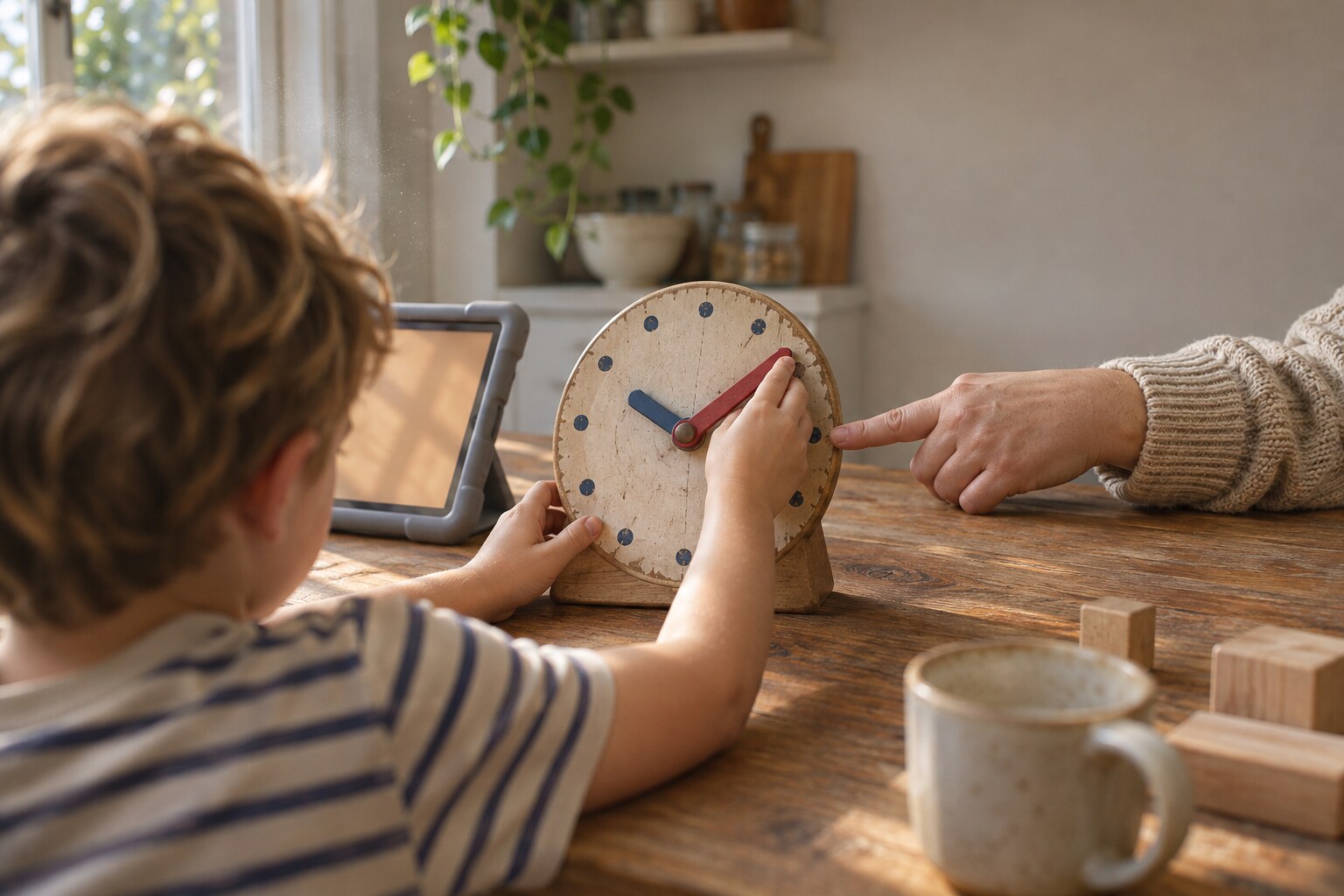
Quick answer: Learning App for Kids, Flik & Flak and I Can Tell Time are three strong apps to teach kids to tell time.
Best for free lessons: Learning App for Kids. Best for adventure play: Flik & Flak.
Best for a step-by-step path from whole hours to single minutes: I Can Tell Time.
Your child knows the numbers on a screen, but a clock face still looks like a puzzle. Phones, microwaves and tablets all show digital time, which leaves fewer chances to read an analog clock at home. Adding another app also means finding room in a busy day. Common Sense Media’s 2025 census reports that children ages 8 and under spend about 2.5 hours a day on screens.
The same census found that gaming time rose 65% in four years. That makes every practice minute worth planning. Parents comparing apps to teach kids to tell time also run into confusing audio, payment gates, repetitive drills and thin privacy details.
Learning App for Kids appears first because its free, ad-free Grade 2 and Grade 3 time lessons open with no required account, and its Android app keeps every lesson available offline after install. Disclosure: this is the Learning App for Kids website, and the app is ours. The rest of the list is our editorial picks, not a measured popularity ranking.
| App | Ages | What it covers | Pricing | Works offline |
|---|---|---|---|---|
| Learning App for Kids | 3-10 overall; time lessons in Grade 2 (ages 6-7) and Grade 3 (ages 7-8) | Grade 2: Telling Time (o’clock) & Money (rupees); Grade 3: Time & Money | Free; no subscription, purchases or ads | Android app (Little Scholars): every lesson after install. Web app: only lessons already opened online |
| Flik & Flak | 4+ App Store rating | Clock structure, hours, minutes, the 24-hour day, calculating with time | Free, no in-app purchases | Yes |
| Kids Telling Time | Analog and digital clocks; hours and half-hours in Lite; smaller increments in the paid version | Free Lite version; full version Not published | ||
| Interactive Telling Time | 4+ rating; Made for Ages 0-5 label; developer description says 3-12 | Movable clock hands; AM/PM, 12-hour and 24-hour notation | Free | Not stated in listing |
| Telling Time - 8 Games to Tell Time | 4+ App Store rating | 8 activities across 22 categories | Free; Unlock Everything $1.99 | Not stated in listing |
| I Can Tell Time (Telling Time For Kids - Clock) | 4+ App Store rating; Made for Ages 6-8 | Five units from o’clock to any time, to the minute | First unit and Free Play free; Pro access $7.99, Annual Pro access $39.99 | Not stated in listing |
| Telling Time For Kids + Clock | Kindergarten and Grade 1 in the developer description; Made for Ages 6-8 label | 12-hour clock; hours, half-hours, quarter past, quarter to | Monster Clock free; all 5 games $1.99 | Not stated in listing |
Why Reading an Analog Clock Is Hard for Kids (and Where Apps Fall Short)
- One number, two meanings: The 4 on a clock face means 4 o’clock for the short hand and 20 minutes for the long hand. A child has to link both hands, not memorize single clock pictures. Preview the spoken answers before your child starts. One wrong narration teaches the wrong time, because kids trust the voice.
- An hour hand that drifts: At 4:50 the hour hand sits almost on the 5, so kids often read 5:50. Choose an app whose hour hand creeps between numbers as the minutes pass, instead of jumping from number to number.
- Counting to 60, not 10: Kids who count in tens have to switch to 60 minutes in an hour, and the hours start over after 12. Skip counting by 5s around the clock face bridges that gap.
- Free versions that stop early: Kids Telling Time Lite stops at hours and half-hours, and I Can Tell Time frees only its first unit and Free Play. Check what the next skill costs before your child starts. Pick for today’s skill and the one after it.
- Apps that skip your device: This list links the App Store for five picks and Google Play for one. Confirm that the listing matches your family’s tablet or phone before your child gets attached to a game.
- Distractions that eat practice: Repeated instructions, loud effects and long runs of identical questions break focus. Watch whether your child explains the answer or just taps until a reward pops up. When the game becomes the point, pause and show a real clock.
- Privacy and update checks: Test the sound, the controls and what the purchase unlocks before you hand over the device. Read the privacy section and the update history too. A missing disclosure deserves a closer look, and an old review describes an old version.
1. Learning App for Kids
Learning App for Kids is a free web app and free Android app with 236 lessons from Playgroup to Grade 5. Its time lessons are Telling Time (o’clock) & Money (rupees) in Grade 2 and Time & Money in Grade 3. The money half uses rupees; the clock skills work the same anywhere.
- Best for: Families who want ad-free educational lessons with no purchases, subscriptions or required account.
- Ages: 3-10 overall. Grade 2 covers ages 6-7, and Grade 3 covers ages 7-8.
- Location: Global (web and Android).
- Pricing: Free. No subscription and no in-app purchases.
- Standout features: English and Urdu content, grade-based courses and three difficulty levels per lesson.
- What it covers: The Grade 2 and Grade 3 lessons pair time with money. The Grade 2 lesson focuses on o’clock times.
- Works offline: Little Scholars, the Android app, bundles every lesson and runs with no network once installed.
Strengths
- Every lesson opens without signing in. An optional free account saves progress across devices.
- There is no upgrade to weigh before the next lesson. Everything is free.
- The web app runs in the browser on iPhone and iPad.
Limitations
- The web app works offline only for lessons already opened online. The AI tutor and homework photo helper always need internet.
- There is no iPhone app. On iPhone and iPad, lessons run in the browser.
2. Flik & Flak
Flik & Flak, from Swatch Ltd, wraps analog-clock lessons inside an adventure game. Kids run, jump and roll through levels instead of answering clock questions in a row.
- Best for: Kids who love adventure games and need a reason to practice.
- Ages: 4+ App Store content rating. The listing gives no instructional age range.
- Platform: iPhone and iPad, per the App Store listing.
- Pricing: Free, with no in-app purchases or advertising.
- Standout features: Five learning modules per the listing, customizable avatars and an augmented reality level.
- What it covers: Clock structure, hours, minutes, the 24 hours in a day and calculating with time.
- Works offline: Yes. The listing says it plays offline anywhere.
Strengths
- The full experience is free. Nothing sits behind a purchase.
- The modules go past reading the hands into working with time.
Limitations
- Families who want direct clock drills without game levels will find the adventure format slower.
3. Kids Telling Time
Kids Telling Time, from Intellijoy, turns clock practice into a cheese hunt. Ticky the Mouse moves through four rooms of analog and digital clock activities.
- Best for: Android families who want analog and digital practice in one app.
- Ages: Not published.
- Platform: Android, via Google Play.
- Pricing: The Lite version is free. The full-version price is Not published on the listing we read.
- Standout features: Reading clocks, setting clocks and one character-led game format throughout.
- What it covers: Hours and half-hours in Lite. The paid version adds smaller time increments.
Strengths
- Lite gives kids real practice before you pay.
- Kids set the time as well as read it.
Limitations
- Lite stops at hours and half-hours. Smaller increments need the paid version.
4. Interactive Telling Time
Interactive Telling Time, from GiggleUp, pairs animated clocks with a virtual aquarium reward. Kids drag movable hands and match analog clocks to digital time.
- Best for: Beginners who respond to bright clock designs and collectible rewards.
- Ages: 4+ App Store rating with a Made for Ages 0-5 label. The developer description says 3-12, so pick activities that match your child’s level.
- Platform: iPhone and iPad, per the App Store listing.
- Pricing: Free iOS download.
- Standout features: Movable hands, a Set the Time activity, a Stop the Clock game and aquarium rewards.
- What it covers: Digital to analog clock matching, AM and PM, and 12-hour and 24-hour notation.
Strengths
- Movable hands work like an interactive clock manipulative, so kids explore the face hands-on.
- The aquarium gives kids a reason to come back.
Limitations
- GiggleUp also sells a Pro edition, so confirm which activities the free download includes.
- The App Store page says the developer has not supplied privacy details.
5. Telling Time - 8 Games to Tell Time
Telling Time - 8 Games to Tell Time, from Innovative Mobile Apps, focuses on adjustable activities. Individual settings and progress tracking suit homes or classrooms with several learners.
- Best for: Parents and educators who want to tune activities for each learner.
- Ages: 4+ App Store content rating. No detailed instructional range is published.
- Platform: iPhone and iPad, per the App Store listing.
- Pricing: Free download. Unlock Everything is listed at $1.99.
- Standout features: 8 activities, 22 categories, per-user settings and optional sticker rewards.
- What it covers: Telling-time practice across 22 categories. The listing does not spell out every clock interval.
Strengths
- Settings adjust for each user.
- Progress tracking shows practice across sessions.
Limitations
- The latest update in the listing is from June 2017. Check compatibility with your device before you buy.
- The developer has not supplied App Store privacy details.
6. I Can Tell Time
I Can Tell Time, listed as Telling Time For Kids - Clock, comes from Burleigh Creative Apps. Five units build from whole hours to any time, to the minute.
- Best for: Kids who need a clear, ordered path through clock skills.
- Ages: 4+ App Store rating, with a Made for Ages 6-8 label.
- Platform: iPhone and iPad, per the App Store listing.
- Pricing: The first unit and Free Play are free. Pro access starts at $7.99, and an annual Pro option is listed at $39.99.
- Standout features: Five sequential units, draggable hands, a read-aloud Free Play clock and parent reports.
- What it covers: O’clock, half past, quarter past and quarter to, skip counting by 5s and single minutes.
Strengths
- The published unit sequence makes progress easy to follow.
- Free Play adds open exploration to the guided lessons.
Limitations
- Most units and the parent report cards require Premium.
- The listing does not state the billing period for the $7.99 tier, so check the purchase screen before you approve Pro access.
7. Telling Time For Kids + Clock
Telling Time For Kids + Clock, from KidloLand, uses animated mini-games for early clock practice. Kids pop balloons, match cards and move the clock hands.
- Best for: Kindergarten and first-grade kids who enjoy short time-telling games.
- Ages: The developer names kindergarten and Grade 1 as the target stages. The App Store adds a Made for Ages 6-8 label.
- Platform: iPhone and iPad, per the App Store listing.
- Pricing: Monster Clock is free. All five games are listed at $1.99.
- Standout features: Five mini-games, interactive hour and minute hands and animated clocks.
- What it covers: The 12-hour clock, setting the time, whole hours, half-hours, quarter past and quarter to.
Strengths
- One complete game is free before you buy the rest.
- The developer states in Apple’s privacy section that it collects no data. Apple notes it has not verified that statement.
Limitations
- The free selection is Monster Clock only.
- App Store reviews posted in 2020 and 2021 report spoken times that did not match the clock. Those reviews describe older versions, so preview the audio yourself.
Turn Clock Practice Into Everyday Learning
Pair any app with a real clock. Correct taps are not the goal; understanding is. Ask your child where each hand points, then show the same time away from the screen.
- Start with the clock face. Find the numbers together and point out the short hour hand and the long minute hand.
- Practice whole hours. Set the minute hand to 12 and ask your child to read the hour hand.
- Add half-hours and quarters once whole hours feel easy. Show how the hour hand creeps between numbers as minutes pass.
- Practice skip counting by 5s around the analog clock face before introducing single-minute marks. Match analog and digital examples when the app supports both.
- Tie practice to daily moments. Read the clock before breakfast, before leaving home or when a favorite show starts.
Keep each session on one skill your child is ready for. End by asking for an explanation with no hints or rewards. That last conversation tells you which idea needs another example.
Which Telling-Time App Fits Your Child Right Now?
Make the call with three facts in hand: the next clock skill your child needs, the device your family uses and what the free version actually includes. A child still on o’clock times can start free with the Learning App for Kids Grade 2 lesson. A child who needs a game to stay engaged fits Flik & Flak on iPhone or iPad. A child ready for five-minute steps and single minutes fits the I Can Tell Time unit path, once you have checked the Pro price. If offline practice matters, choose an app whose listing confirms it. If your child is also practicing multiplication, our guide to times tables apps for kids compares apps for that skill.
For free practice with no account, open a free lesson, go to the Grade 2 or Grade 3 Maths course and start its telling-time lesson. Sit with your child for the first activity, then find the same times on a clock at home. On Android, install the free Little Scholars app to keep every lesson available offline.
Frequently Asked Questions (FAQs)
What is the best app to teach kids to tell time?
The best app matches the next clock skill your child needs and the device you own. Learning App for Kids offers free Grade 2 and Grade 3 time lessons with no account required. I Can Tell Time lays out five units from whole hours to single minutes.
At what age can kids tell time?
Readiness matters more than a birthday, so start when your child recognizes clock numbers and follows daily routines. In the Common Core math standards, 1st graders tell time in hours and half-hours using analog and digital clocks, 2nd graders read clocks to the nearest five minutes using a.m. and p.m., and 3rd graders read to the nearest minute and measure time intervals in minutes. Teach whole hours before smaller intervals.
Is there a free app to learn telling time?
Yes. Learning App for Kids is free, with no subscription, in-app purchases or ads. Every lesson opens without an account. Flik & Flak is also free with no in-app purchases.
How do I teach my child to read a clock?
Start with the hour hand, the minute hand and the numbers. Practice whole hours, then half-hours, quarters, five-minute steps and single minutes. Pair app practice with a real clock and ask your child to explain each answer.
Which telling-time apps work offline?
Flik & Flak lists offline play. Little Scholars, the Android app for Learning App for Kids, includes every lesson offline after installation. The Learning App for Kids web app works offline only for lessons already opened online, and its AI tutor and homework photo helper need internet. The App Store listings for the other four iPhone and iPad picks do not state offline play.